
 Login
Login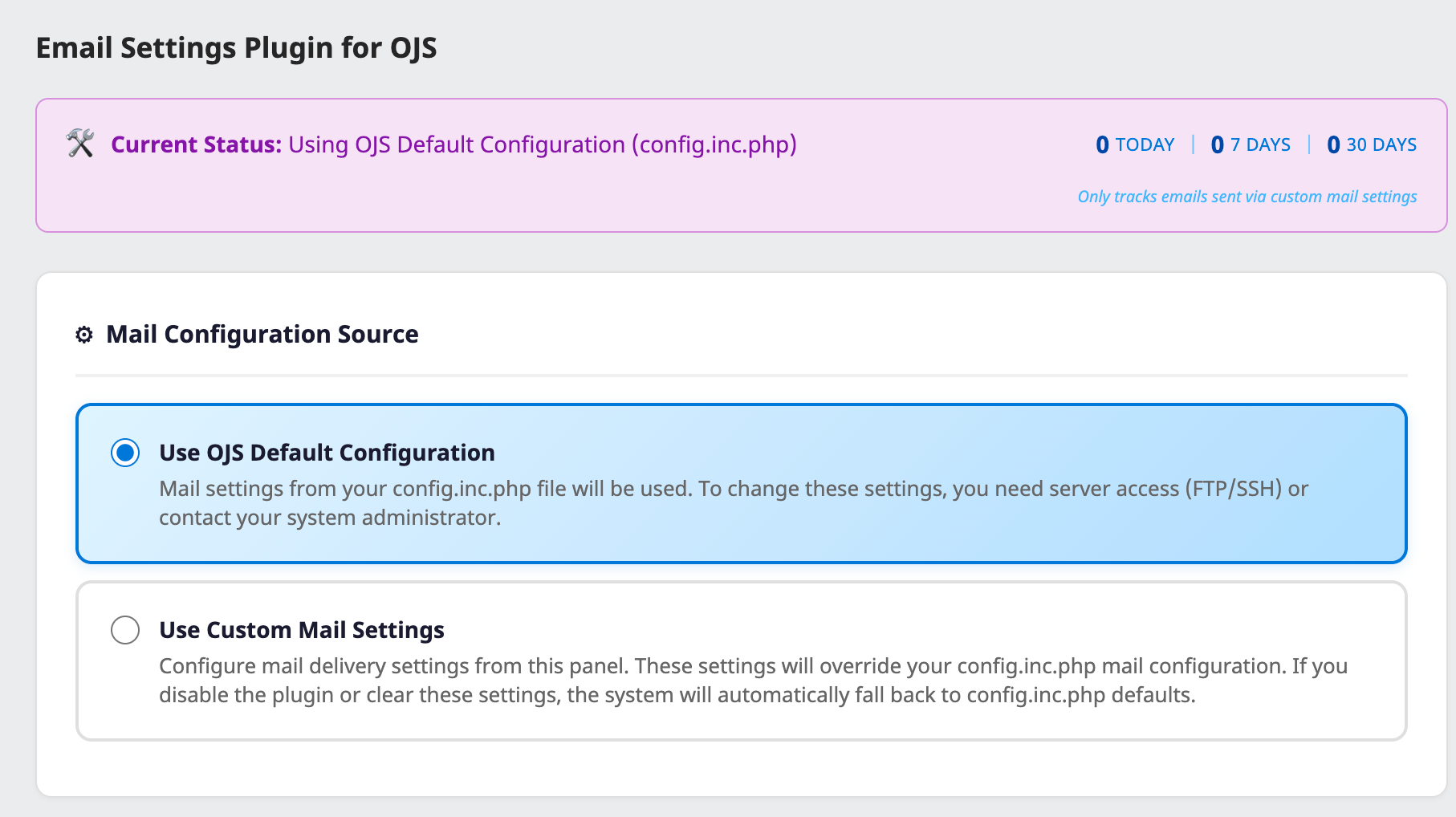

Email Settings Plugin for OJS
Manage OJS Email Settings from the Admin Panel: Email Settings Plugin
One of the most common issues OJS users face: email delivery.
In forums, support requests, and the OJS community, the most frequently asked questions are always the same:
- “My journal isn’t sending emails, what should I do?”
- “How do I configure Gmail SMTP?”
- “I can’t edit config.inc.php, I don’t have server access”
- “Can we set up different email addresses for each journal?”
We developed the Email Settings Plugin to solve these problems and make life easier for OJS administrators.
❌ The Old Way: Complex and Technical
To change email settings in OJS, you needed to:
- Connect to the server via FTP/SSH
- Find and edit the
config.inc.phpfile - Write SMTP parameters in the correct format
- Risk breaking your site if you make a mistake
- Repeat this process for every change
Result: A nearly impossible process for journal editors and managers without technical knowledge.
✅ The New Way: Easy Management from the Panel
With Email Settings Plugin:
- No server access required — All settings are configured from the OJS admin panel
- Visual interface — No complex configuration files, just form fields
- Instant changes — Click Save, and it’s immediately active
- Secure — Passwords are stored encrypted
🌟 Key Features
📧 Popular Service Presets
Ready-made settings for Gmail, Yandex, Office 365, and Zoho Mail. Just enter your email and password, and the plugin handles the rest.
Important notes like Gmail’s App Password requirement are automatically displayed.
🏢 Multi-Journal Support
This feature was requested by many publishers.
If you manage multiple journals in a single OJS installation, you can set different SMTP configurations for each:
- Journal A → info@journala.com (Gmail)
- Journal B → editor@journalb.com (Yandex)
- Journal C → contact@journalc.com (Corporate SMTP)
Each journal sends emails from its own address.
📊 Simple Statistics
Track sent emails:
- How many emails sent today
- How many emails sent in the last 7 days
- How many emails sent in the last 30 days
This lets you easily see if your email system is working.
✉️ Test Email
Send a test email immediately after saving your settings. See any issues instantly and fix them.
🔒 Security
- CSRF protection
- Passwords encrypted with AES-256
- Only Site Admin and Journal Manager can access (Journal Editors cannot)
📬 Deliverability Recommendations
Information about SPF, DKIM, and DMARC. Guidance on DNS settings to prevent your emails from landing in spam folders.
Settings Page — Status & Configuration

SMTP Configuration & Service Presets

Gmail Preset with App Password Notice

Yandex Mail Preset

Test Email & Deliverability Recommendations

📥 Installation
- Download the
.tar.gzfile from GitHub Releases - Go to OJS → Settings → Website → Plugins → Upload A New Plugin
- Enable the plugin
- Click the “Email Settings” link in the sidebar or access plugin settings
🆓 Free and Open Source
This plugin is provided free of charge under the GPL v3 license. We developed it as our contribution to the OJS community.
For installation support, customization, or OJS consulting: ojs-services.com
📎 Links
- GitHub: https://github.com/ojs-services/OJS-email-settings-plugin
- Download: https://github.com/ojs-services/OJS-email-settings-plugin/releases
- Support: info@ojs-services.com
Made with ❤️ by OJS Services — Professional OJS hosting, themes, plugins and consulting for academic journals.
The post Email Settings Plugin for OJS first appeared on OPEN JOURNAL SYSTEM SERVICES.
